Message box
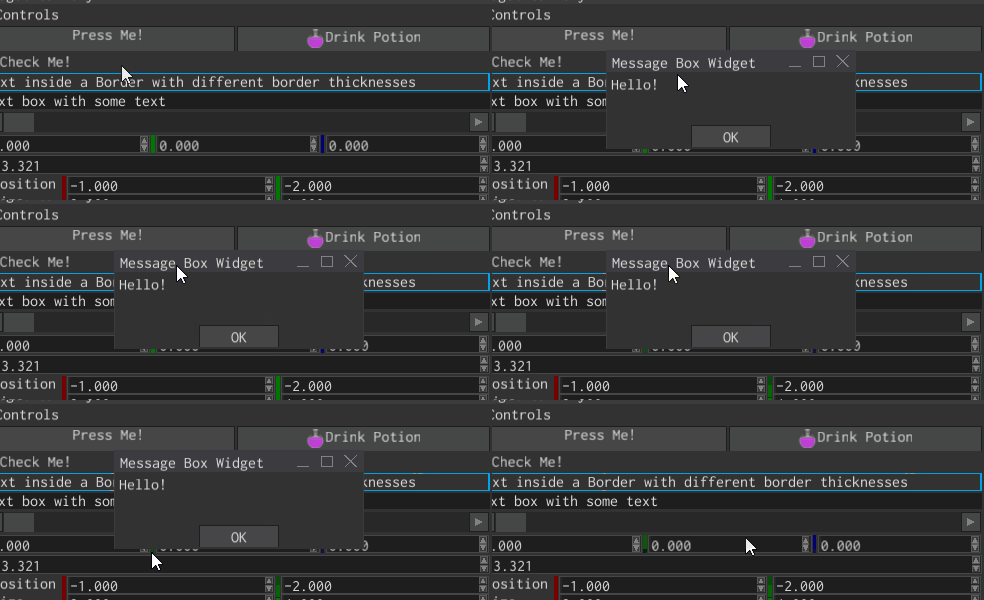
Message box is a window that is used to show standard confirmation/information dialogues, for example, closing a document with unsaved changes. It has a title, some text, and a fixed set of buttons (Yes, No, Cancel in different combinations).
Examples
A simple message box with two buttons (Yes and No) and some text can be created like so:
#![allow(unused)]
fn main() {
fn create_message_box(ctx: &mut BuildContext) -> Handle<MessageBox> {
   MessageBoxBuilder::new(WindowBuilder::new(WidgetBuilder::new()))
       .with_buttons(MessageBoxButtons::YesNo)
       .with_text("Do you want to save your changes?")
       .build(ctx)
}
}
To “catch” the moment when any of the buttons will be clicked, you should listen for MessageBoxMessage::Close
message:
#![allow(unused)]
fn main() {
fn on_ui_message(my_message_box: Handle<UiNode>, message: &UiMessage) {
    if message.destination() == my_message_box {
        if let Some(MessageBoxMessage::Close(result)) = message.data() {
            match result {
                MessageBoxResult::No => {
                    println!("No");
                }
                MessageBoxResult::Yes => {
                    println!("Yes");
                }
                _ => (),
            }
        }
    }
}
}
To open an existing message box, use MessageBoxMessage::Open. You can optionally specify a new title and a text for
the message box:
#![allow(unused)]
fn main() {
fn open_message_box(my_message_box: Handle<UiNode>, ui: &UserInterface) {
   ui.send(
       my_message_box,
       MessageBoxMessage::Open {
           title: Some("This is the new title".to_string()),
           text: Some("This is the new text".to_string()),
       },
   )
}
}
Styling
There’s no way to change the style of the message box, nor add some widgets to it. If you need a custom message box, then you need to create your own widget. This message box is meant to be used as a standard dialog box for standard situations in the UI.