Range
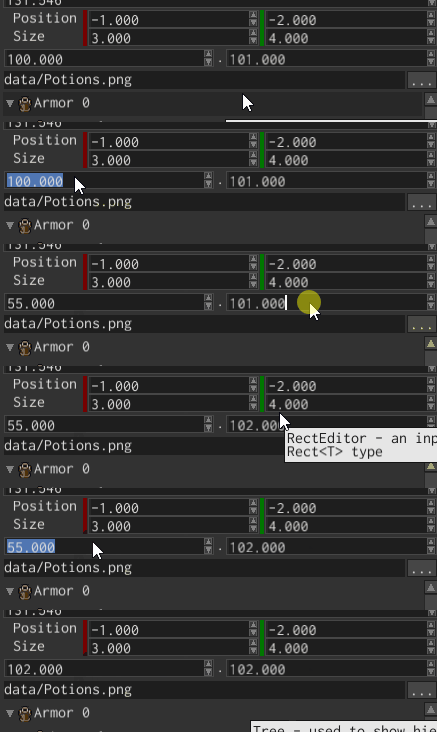
Range editor is used to display and edit closed ranges like 0..1. The widget is generic over numeric type,
so you can display and editor ranges of any type, such as u32, f32, f64, etc.
Example
You can create range editors using [RangeEditorBuilder], like so:
#![allow(unused)]
fn main() {
fn create_range_editor(ctx: &mut BuildContext) -> Handle<RangeEditor<u32>> {
    RangeEditorBuilder::new(WidgetBuilder::new())
        .with_value(0u32..100u32)
        .build(ctx)
}
}
This example creates an editor for Range<u32> type with 0..100 value.
Value
To change the current value of a range editor, use [RangeEditorMessage::Value] message:
#![allow(unused)]
fn main() {
fn change_value(range_editor: Handle<UiNode>, ui: &UserInterface) {
    ui.send(range_editor, RangeEditorMessage::Value(5u32..20u32))
}
}
To “catch” the moment when the value has changed, use the same message, but check for [MessageDirection::FromWidget]
direction
on the message:
#![allow(unused)]
fn main() {
fn fetch_value(range_editor: Handle<UiNode>, message: &UiMessage) {
    if let Some(RangeEditorMessage::Value(range)) =
        message.data_from::<RangeEditorMessage<u32>>(range_editor)
    {
        println!("The new value is: {:?}", range)
    }
}
}
Be very careful about the type of the range when sending a message, you need to send a range of exact type, that match the type of your editor, otherwise the message have no effect. The same applied to fetching.